Google Reviews Widget

Google Reviews Widget for your website

Add a live Google Reviews widget to your website and showcase authentic customer feedback where it matters most. Set it up in seconds with Jotform’s free, no-code tool. Sync your Google Business reviews automatically, customize the layout, and let your best testimonials boost trust and conversions.

Create Now — It’s Free!
Google Reviews Widget for your website Hero Background image

More Google Reviews Styles

Testimonials Carousel

Showcase Google reviews in a clean, full-width slider with star ratings, reviewer names, photos, dates, and review images. This template also includes a floating review badge, giving visitors a quick snapshot of your review presence while the inline slider highlights individual comments. It works well for businesses and creators who want to present customer feedback in a polished, easy-to-browse format. Visitors can move through the reviews, open an entry for more detail, click Load more to see additional reviews, and use the Share your feedback button to leave their own response.

Google Reviews Social Proof Widget

Showcase Google reviews in a clean inline social proof section that highlights star ratings, reviewer names, profile photos, and review dates. This template is a strong fit for service pages, landing pages, and testimonials areas where trust matters. Visitors can scan featured feedback, open more reviews with the Load more button, and use the feedback button to leave their own review. The light, standard design keeps the focus on the comments and ratings while helping your page feel credible and polished.

Google Reviews Carousel with Featured Review

Google Reviews displays customer feedback in a clean carousel with star ratings, reviewer names, dates, photos, and review text. It suits businesses, service providers, and creators who want to highlight social proof without overwhelming the page. Visitors can move through reviews with the navigation arrows, open a review for more detail, and click Load more to browse additional entries. A Share your feedback button also gives people a clear way to respond, making it easy to pair testimonials with fresh visitor input.

Rotating Review Carousel

This Google Reviews widget showcases customer feedback in a clean carousel with a floating badge for quick visibility. It displays review names, photos, dates, ratings, and review content, with a detail dialog when someone clicks a review. The layout is a good fit for homepages, landing pages, and service sites that want to present social proof without clutter. Visitors can browse the carousel, open individual reviews for more context, and use the Share your feedback button to respond.

How to create a Google Reviews widget

Link your Google business

Link your Google business

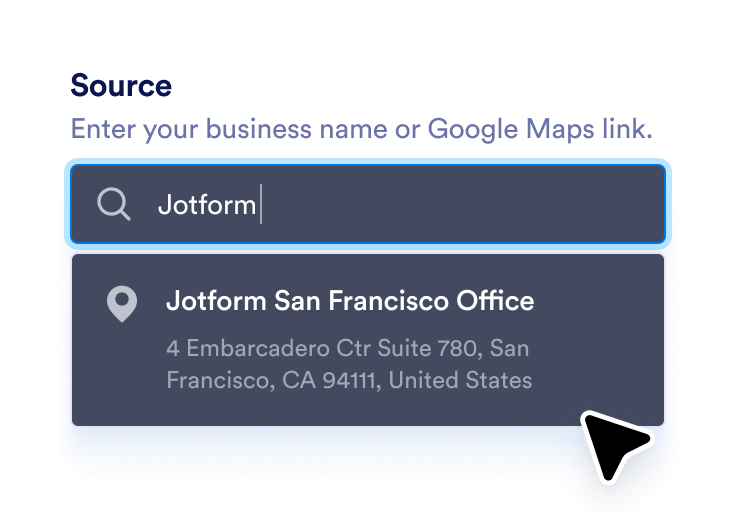
Enter your business name or Google Maps link to automatically sync your latest reviews.

Customize your widget

Customize your widget

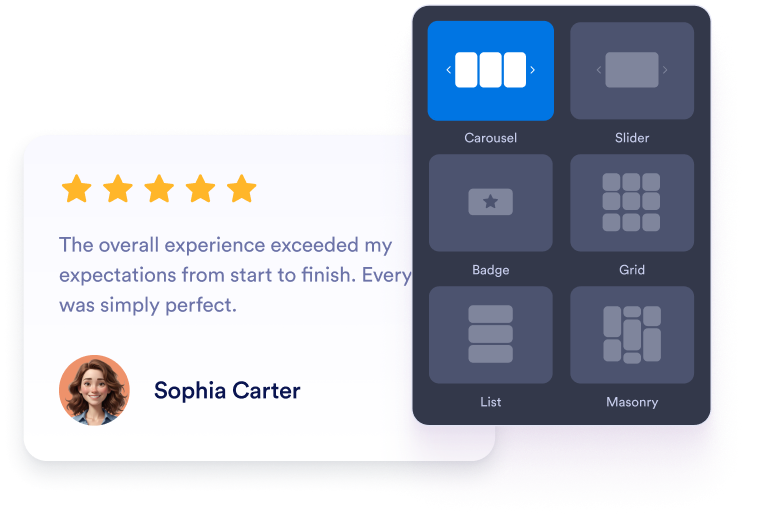
Choose your preferred layout, colors, and overall appearance to match your website’s design.

Get the embed code

Get the embed code

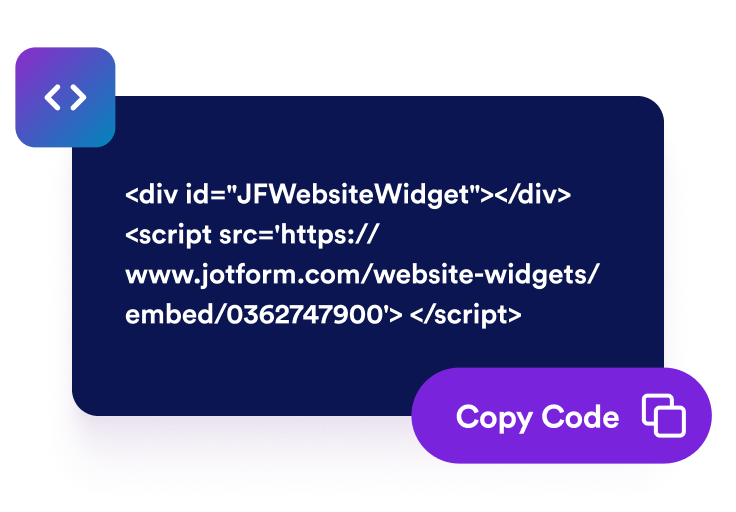
Copy the automatically generated embed code and paste it anywhere on your website.

Turn positive feedback into real business growth

Build credibility with real testimonials

Authentic Google Reviews instantly boost your business’s reputation. Visitors trust real experiences from other customers more than any marketing copy which is helping you create instant confidence and social proof.

Build credibility with real testimonials

Convert more visitors into paying customers

Positive reviews influence decisions at the exact moment visitors are ready to buy. By highlighting customer satisfaction, your widget helps turn casual browsers into loyal customers.

Convert more visitors into paying customers

Keep reviews fresh with automatic updates

Your widget syncs directly with your Google Business profile, so new reviews appear automatically. No need for manual updates which means your page always shows the latest, most relevant feedback.

Keep reviews fresh with automatic updates

Improve SEO and visibility in local search

Displaying verified Google Reviews on your website signals to search engines that your business is active and trusted. It can improve your rankings in local search results and attract nearby customers.

Improve SEO and visibility in local search

How to embed your Google Reviews into WordPress

1Get your embed code

After customizing your Jotform website widget, click Try it on your website for free, and copy the generated embed code.

2Open the page editor

Go to the WordPress post or page where you want to display the widget, then add a new block.

3Add a Custom HTML block

Select Custom HTML and paste your Jotform website widget embed code into the HTML field.

4Update and view

Click Update or Publish, then open the page to check your embedded widget.

Why Jotform Website Widgets stand out

Jotform’s widgets make your website more interactive and increase conversions. There are many tools available, from star ratings and testimonial sliders to social proof popups and media embeds. Add widgets to your forms or landing pages to collect data, display proof, and capture leads — no coding required.

Embed widgets without coding

Add Jotform widgets to your website with a simple embed code. Customize the widget, preview how it looks, and paste it into any page that supports custom HTML or embed blocks, all without a developer.

Build more interactive pages

Use Jotform Website Widgets to collect leads, show customer feedback, display social proof, embed media, or add helpful web page tools. Each widget helps visitors interact with your business directly from your website.

Get support when you need it

If you need help setting up, customizing, embedding, or troubleshooting your widget, Jotform’s customer support team is available 24-7. You can move forward with confidence, knowing that help is there when you need it.

Convert leads into paying customers with the Jotform Form Builder

Turn engagement into action with Jotform. Create powerful forms that capture leads, collect payments, and automate responses, all in one place. Every submission lands in your Jotform Inbox, where you can follow up or connect with your favorite apps.

Get Started — It’s Free!
Convert leads into customers

FAQ

  • How do I add Google Reviews to my website?

    You can add Google Reviews to your site using Jotform’s Google Reviews widget. Simply connect your Google Business account by pasting your Google Place link into the widget’s Source field. Choose your preferred layout like carousel, slider, or badge and customize colors, themes, and width to match your website’s design. Once you’re done, click Continue and copy the embed code. Paste it into your site where you want the reviews to appear, and they’ll display instantly.

  • Can I choose how my reviews appear on the page?

  • Will my widget update automatically when new reviews come in?

  • Is it possible to filter which reviews appear?

  • How much customization does the widget offer?

  • Can I collect new reviews using Jotform?

  • Is the Google Reviews widget free?

  • How do I get my Google Maps share link?